Channel Invert
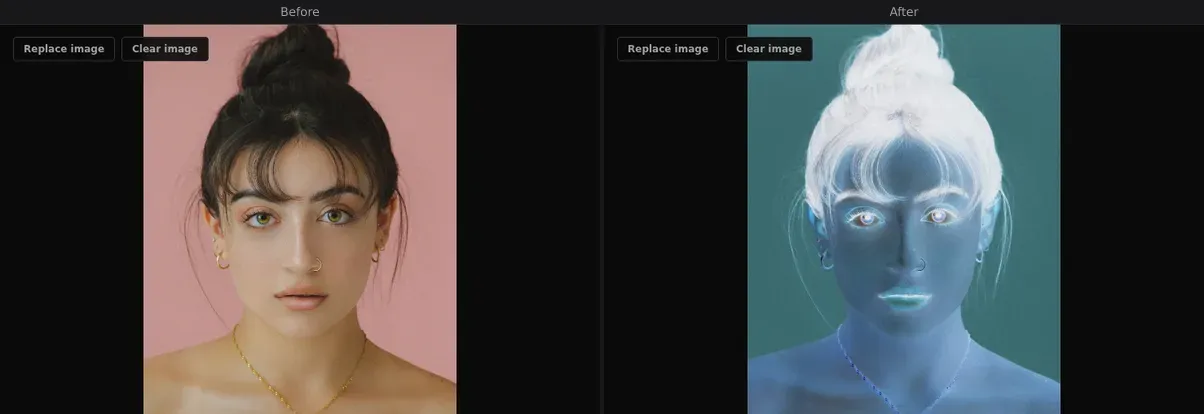
Invert individual R, G, or B color channels independently — create selective color negatives and unnatural, alien-looking palettes.
About this effect
Unlike a full image invert that flips all colors at once, Channel Invert lets you flip individual red, green, or blue channels independently. This creates partial negatives — inverting only the red channel turns skies teal and skin blue; inverting green creates otherworldly purple shifts.
Toggle channels on and off to find unexpected color combinations. Works great as a base layer before applying other glitch effects for truly alien visuals.
Parameters
- ▸Red invert — toggle red channel inversion
- ▸Green invert — toggle green channel inversion
- ▸Blue invert — toggle blue channel inversion
Best for
Experimental photography, alien landscapes, surreal portraits, base layer for glitch stacks
Use cases
- ▸Alien / sci-fi visuals
- ▸Experimental photo edits
- ▸Color palette exploration
- ▸Base layer for complex glitch stacks
Related effects
Try Channel Invert and 18 other effects — free, no watermark.
Start Glitching